Macbook Pro
DI.Circle
Timeline
Oct - Dec 2025 (8 Weeks)
Team Role
Hi-Fidelity Lead
Service
Design Interactive (DI)
Full Case Study
Context & Problem Brief
Designing a More Human-Centered DI Experience
During a 8-week design sprint, my cohort team and I were tasked with designing a platform to improve how DI members connect with alumni and industry professionals. Our initial direction focused on building a CRM-style platform primarily for board members to manage connections.
What initially began as a data and operations tracking tool evolved into something very different: a community-driven platform designed to make networking feel approachable and personalized.
The Problem
Our Early Research & Assumptions
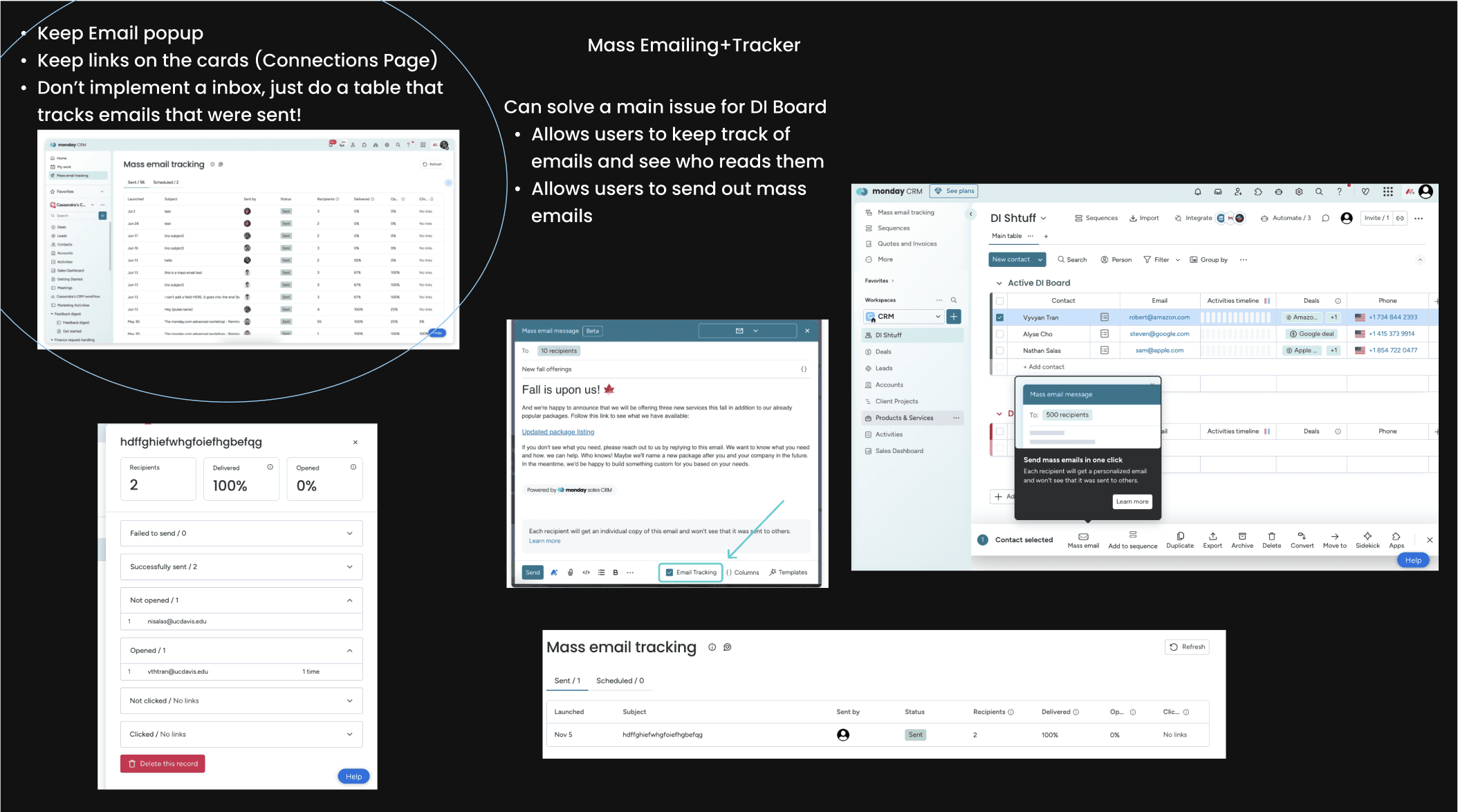
We began by conducting surveys and interviews with DI board members to understand their workflow and challenges. We initially believed DI needed a better way to manage connections. We researched CRM platforms that specialize in tracking such as Monday.
Early Frames…DI Circle 1.0
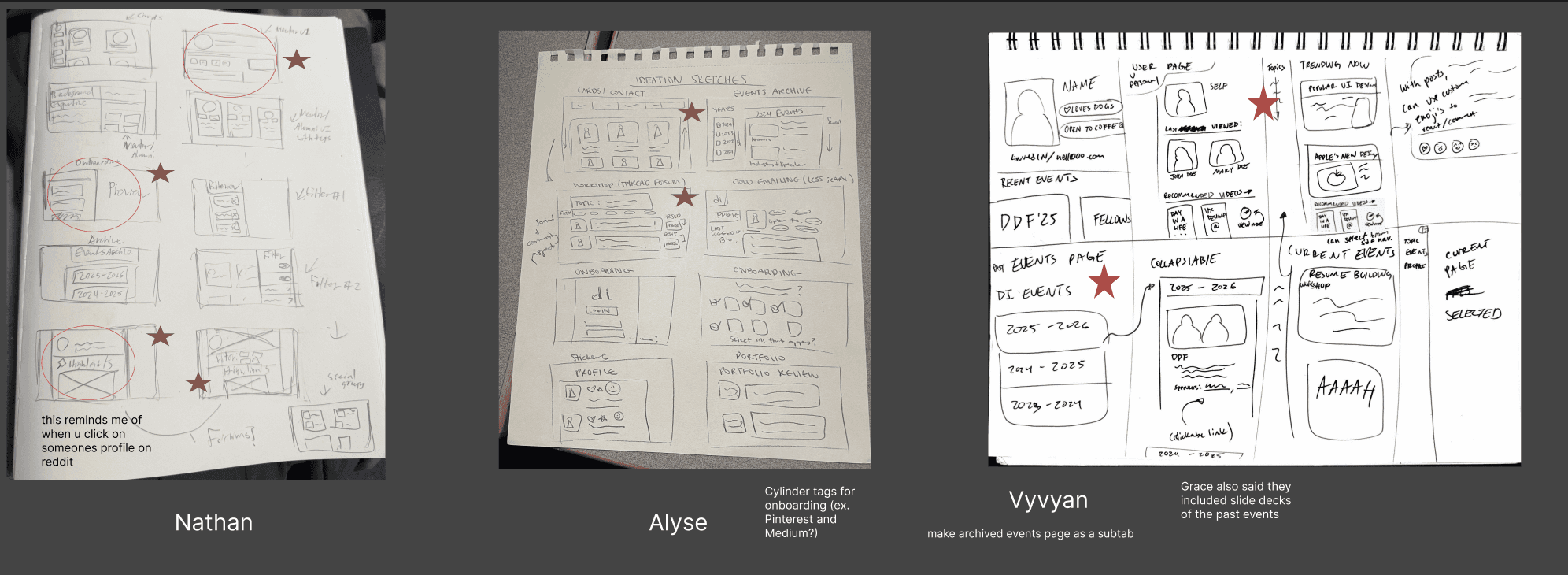
Our Initial Lo-Fi Frames and Inspiration (Monday)
Our Mid-Fi Frames
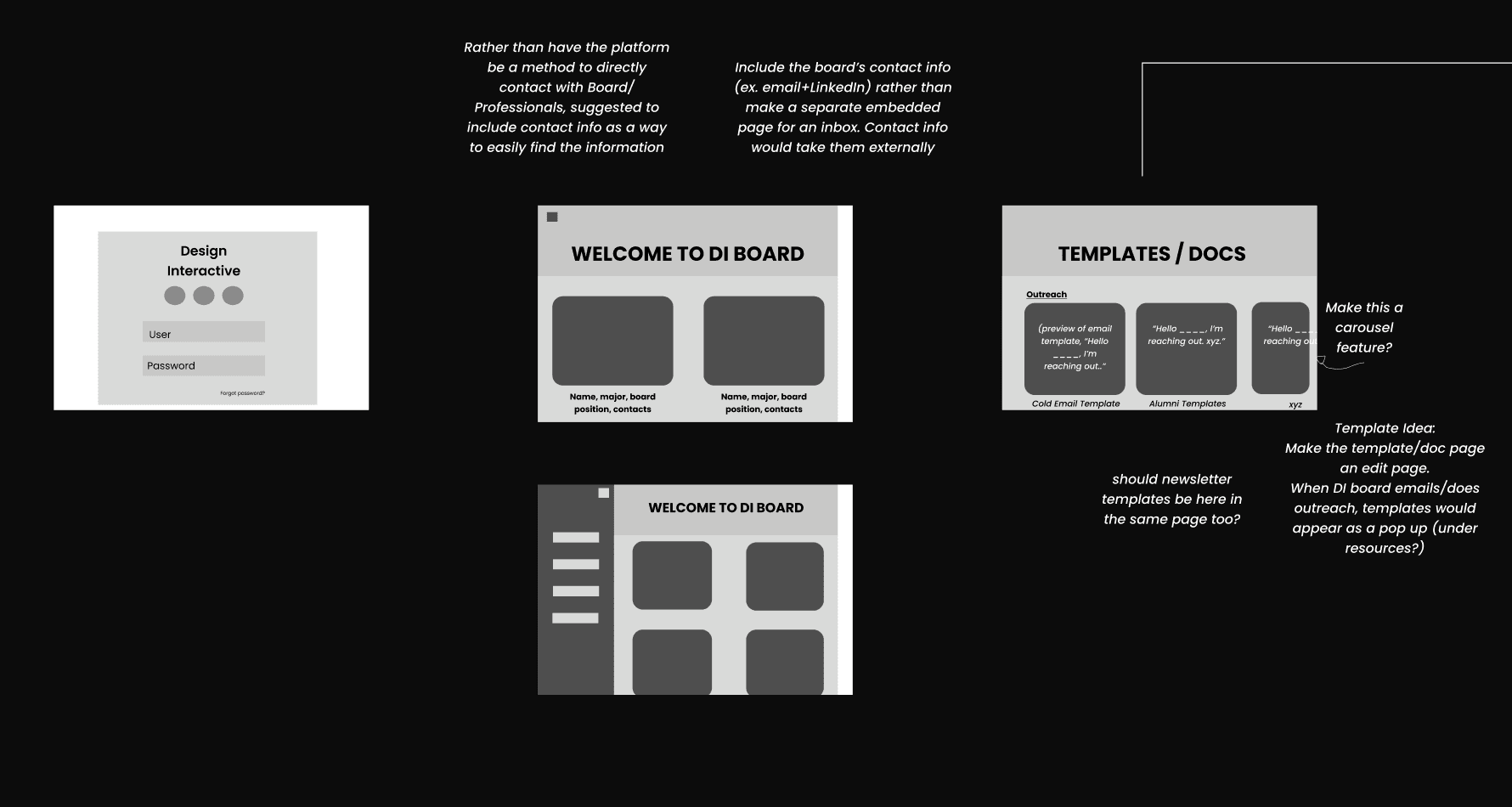
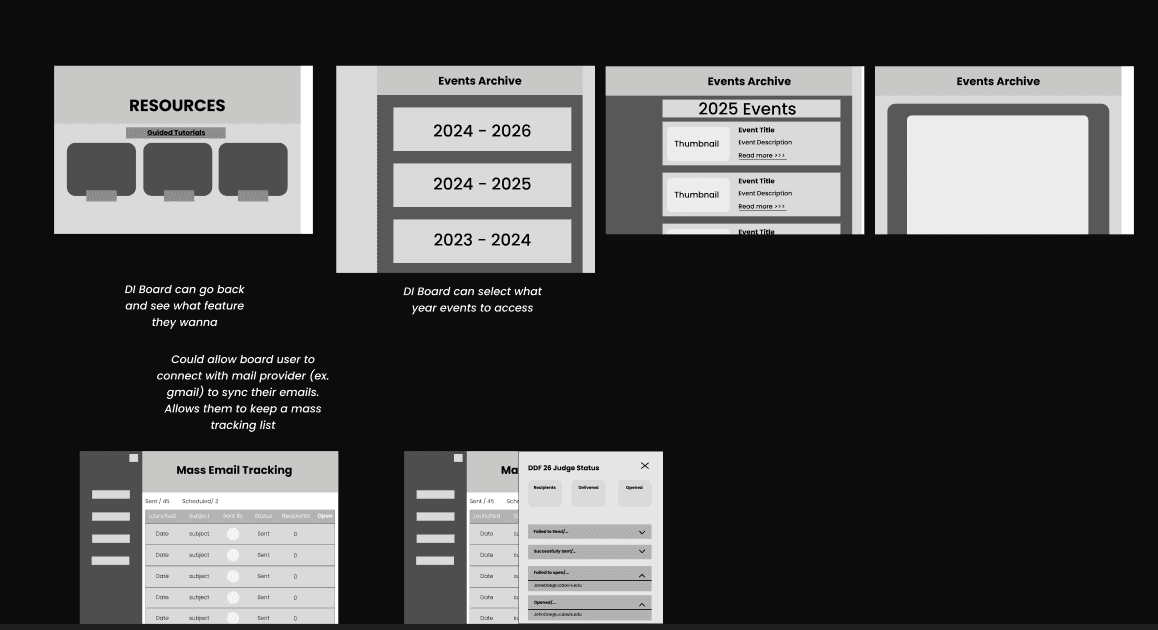
We initially designed a CRM-style platform focused on:
Outreach tracking
Email templates
Board member workflows
We designed around a narrow audience: DI board members responsible for outreach and operations. At this stage, our solution was functional, but towards a smaller and niche audience.
Pivot Point
…We Solved For the Wrong Problem
Midway through the sprint, I began to question whether our solution truly addressed the real problem. If most members aren’t doing outreach… why are we designing a tool centered around it? I reached out to design mentors for a different perspective.
After speaking with design mentors we realized, our approach did not fully support a wider audience at hand: DI community members. Our mentors suggested that we should design for the greater audience.
Reframing the Problem Into a New Solution
With new insights and feedback, I initiated a team discussion to rethink in a new direction
that changed everything…
Rather making a tool for only DI Board members...
How might we make connections between DI members, alumni, and professionals feel approachable
and community-driven?
Our team conducted additional research through interviewing 4 additional DI community members to understand their pain points on connecting with professionals and alumni. The barriers we discovered was:
“Connecting often feels
transactional and surface level”
“It would be easier to connect with others if I knew more about them”
“I feel intimidated reaching out to members. I don’t know much about them, will they respond?”
“I want approaching others to feel more friendly”.
…We Solved For the Wrong Problem
This research provided our team with a newly refined goal: reduce intimidation and foster genuine connections. We want DI members to feel less intimidated and make connections feel more genuine.
Design Process
Our New Solution Strategy
Based on research conducted through additional interviews. My team and I gathered core features that DI members wanted to make their experiences feel less intimidating. Core features included:
Key Feature:
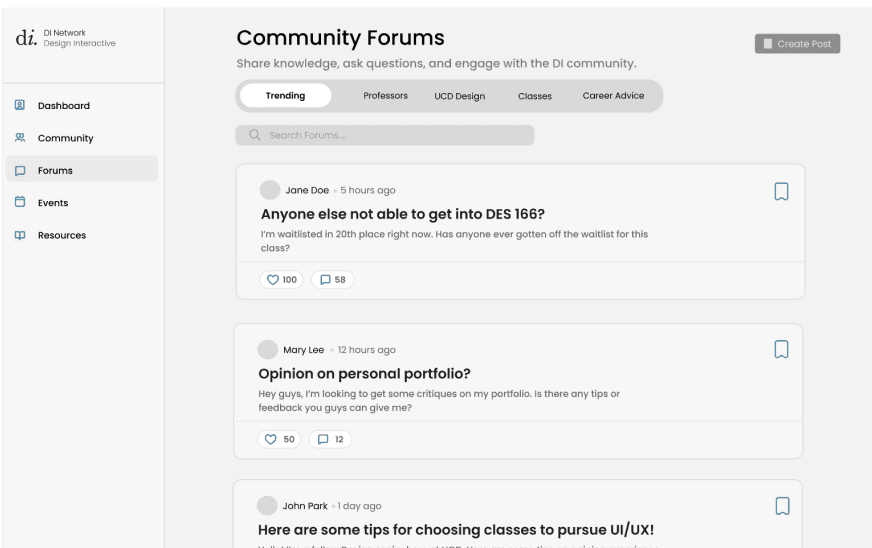
Community Forums to encourage conversations beyond formal networking
Key Feature:
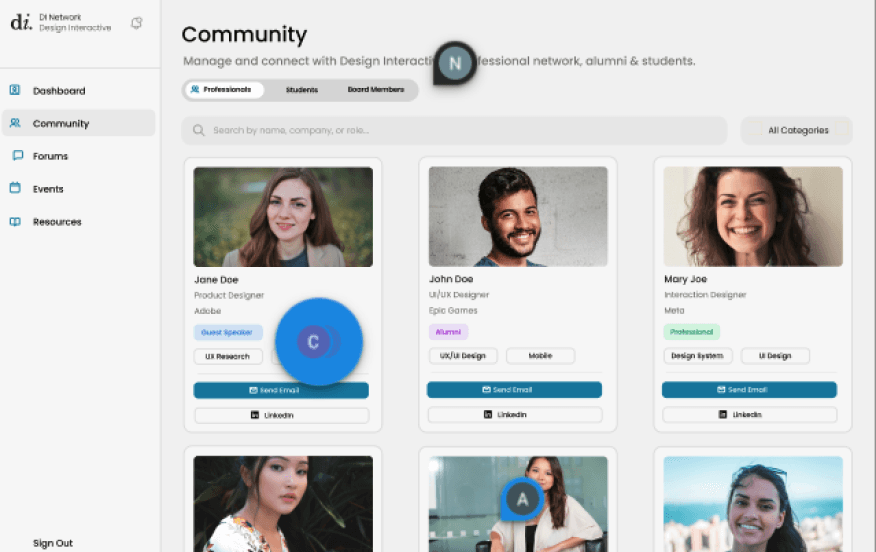
Community Hub to connect with the DI community through personalized
profile cards
Key Feature:
Resources Page for quick access to important links
and content useful in UI/UX fields
Key Feature:
Customizable profiles to highlight personal interests and goals
Key Feature:
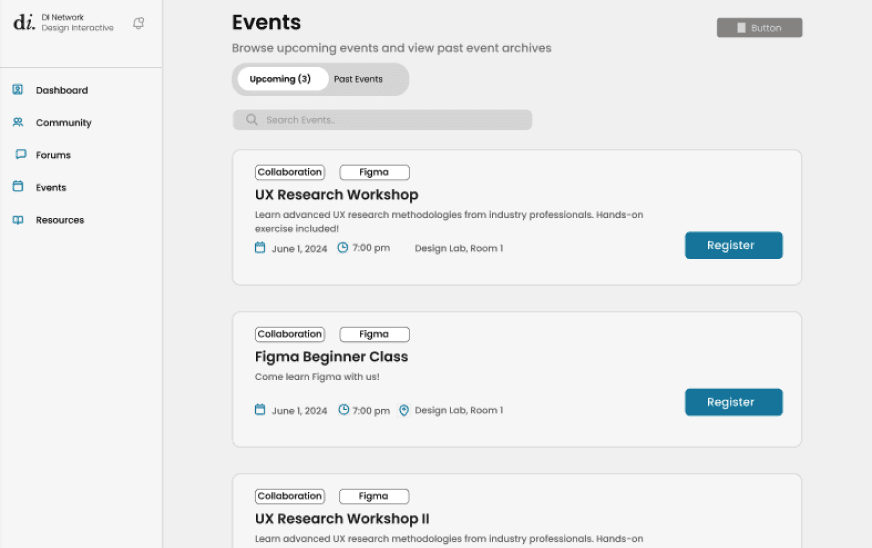
Events page to access past/upcoming events, connecting users with attending alumni + professionals
Key Feature:
Messaging system that allows users
to communicate
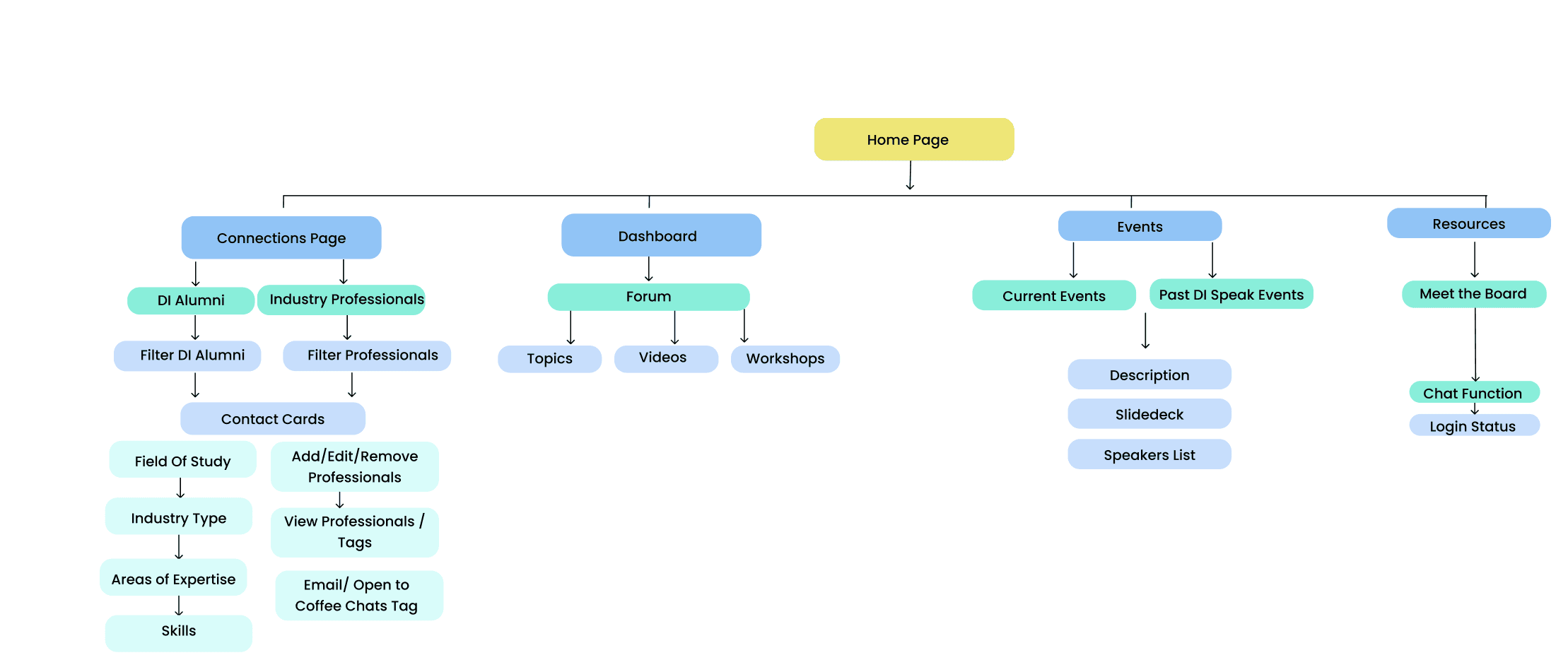
A Brand New Information Architecture
After defining our key features, we created an information architecture to structure content and ensure a clear, intuitive flow between different areas of the platform.
Creating Our Newly Iterated Frames
Once our team refined our direction, we designed our Mid-fi frames.
Onboarding
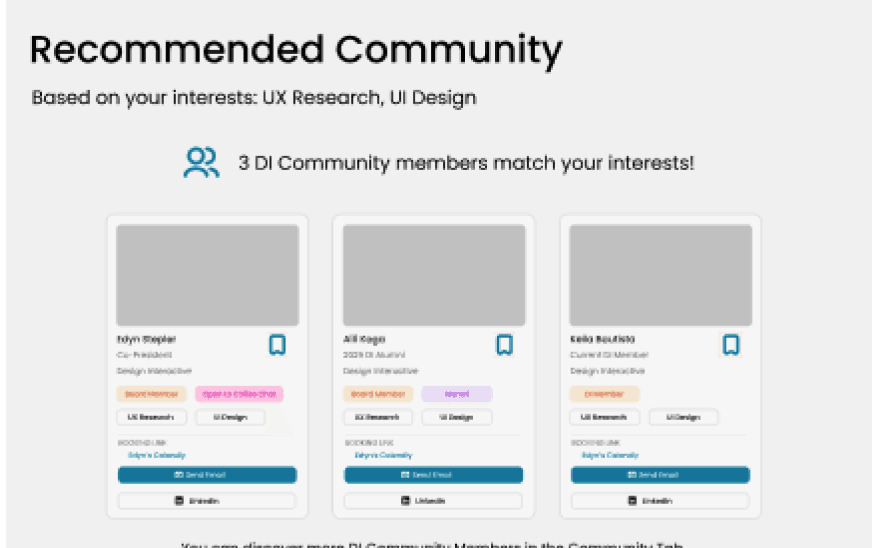
Dashboard
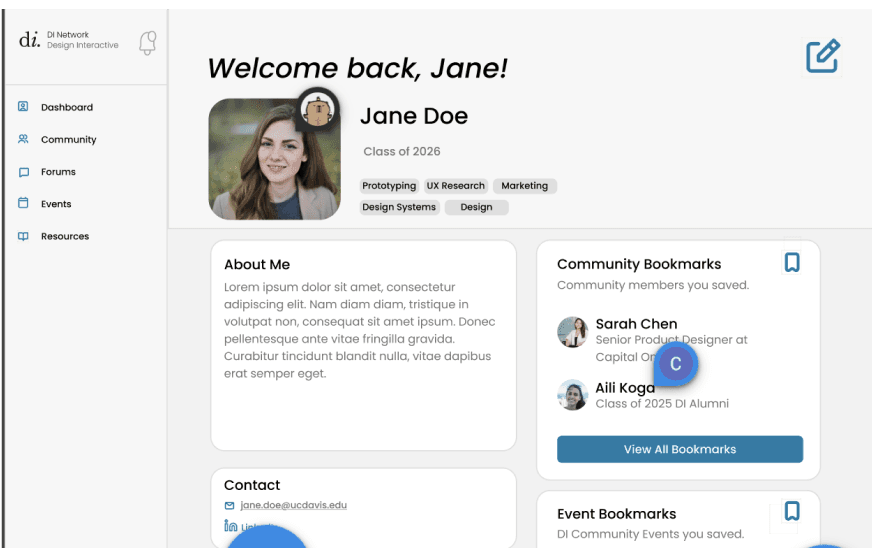
Community Page
Events Page
Forums Page
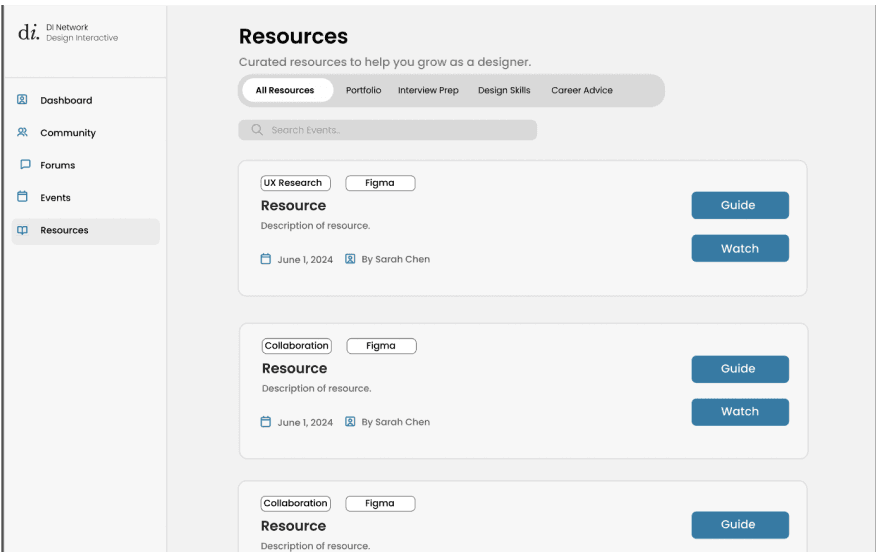
Resources Page
Refining Our Frames Before Hi-Fi
Through usability testing with 6 DI community members we identified key improvements to translate into our iterations:
Add a friends page for users to manage their connections
Remove resources page from original prototype (users felt it wasn’t necessary/impactful)
Dont use phrases that imply users would be let of externally (ie. “Send Email”, “Connect on LinkedIn”)
Ensure visual consistency and adding responsive design
(auto-layout)
Small wording and structural changes had a huge impact on reassuring comfort for users.
Action & Results
Visual Design & Execution for
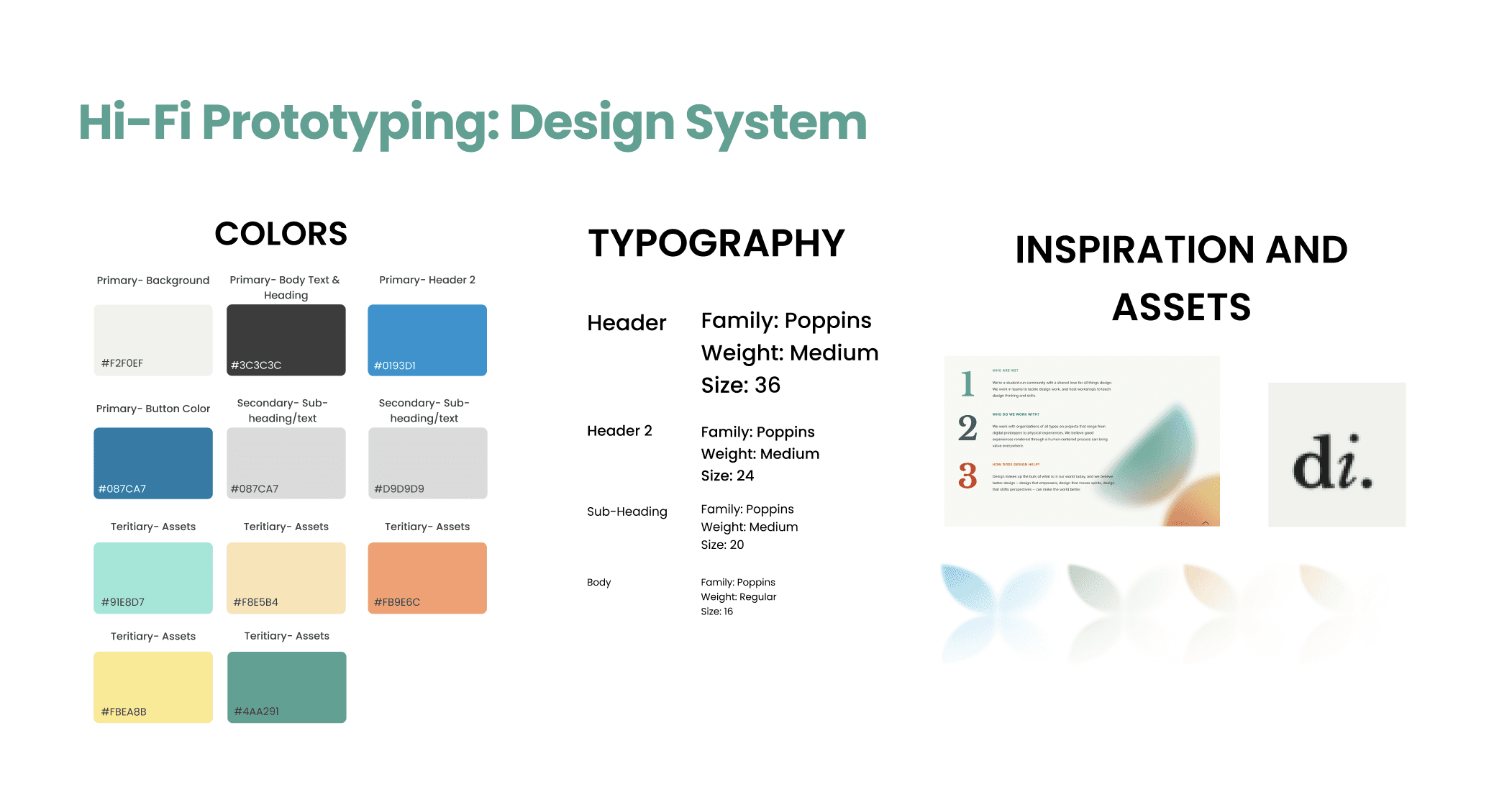
My impact of the project was highlighted again through leading the Hi-Fi stages. Taking inspiration from DI's current branding, I created a visual and typographic design system.
Design Challenges I Solved
Refined Hi-Fi Frames and prototyped user flows
Establishing a visual design and typographic system - using pastel colors of DI’s current branding
Initiating and leading the pivot point stages of the project
Branding direction: using pastel colors, taking inspiration from DI’s current branding
Final Deliverables
Bringing DI.Circle To Life
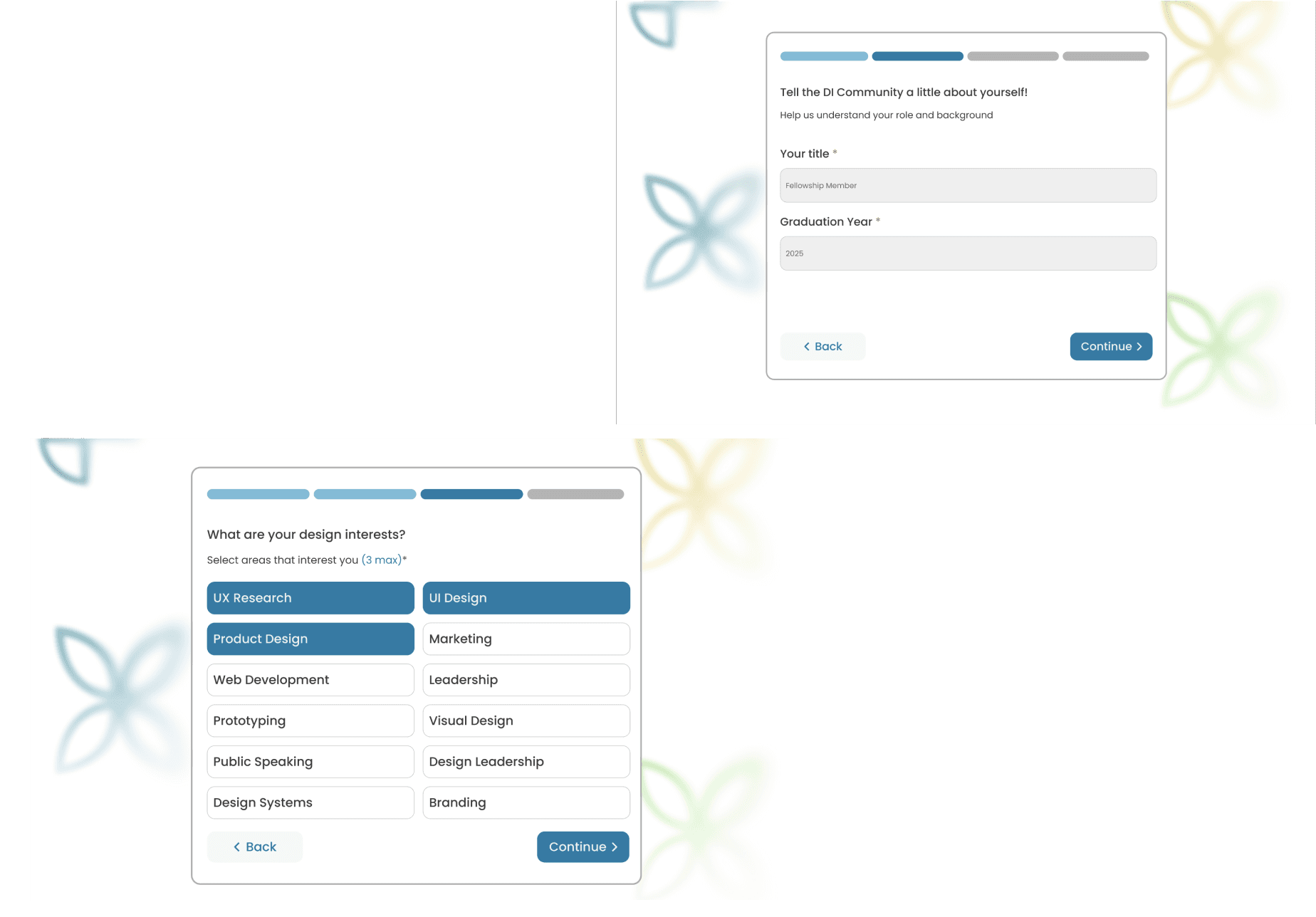
User Onboarding
Users create their account and include information such as design interests, or a short bio. This allows users to express themselves through their profile.
Community Hub
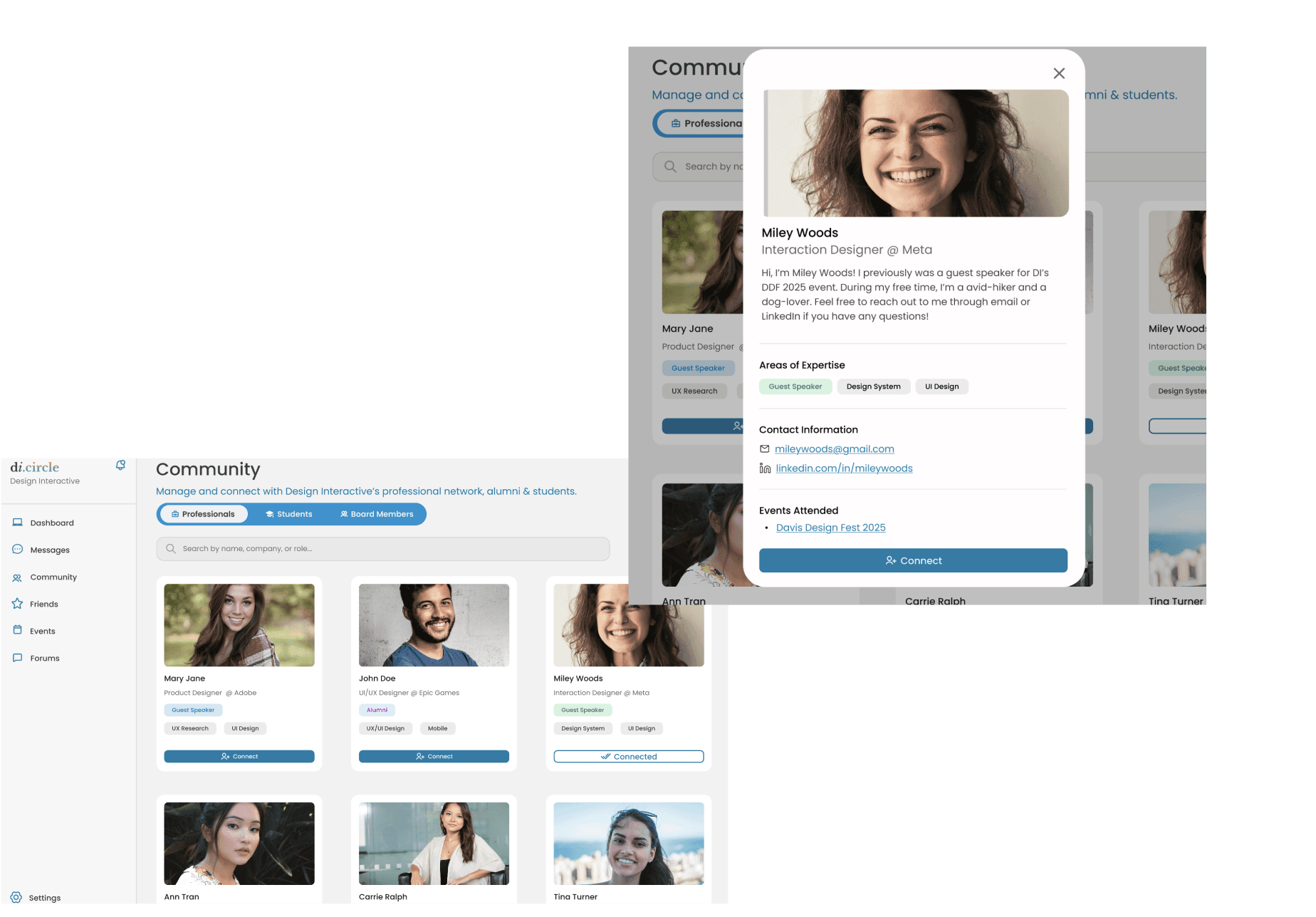
Explore the DI community through community cards. Users can connect with members and learn more about them without the intimidation factors.
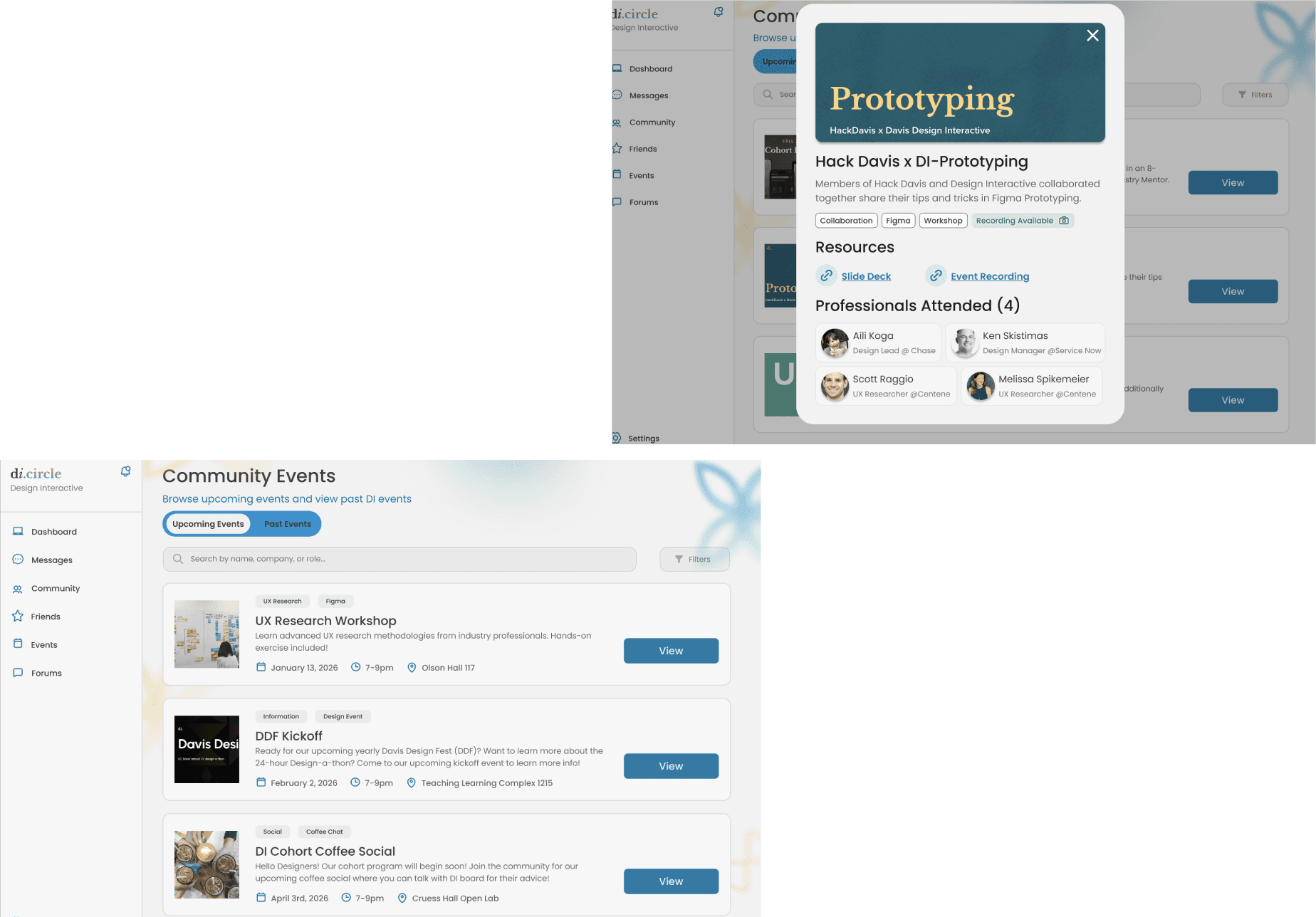
Events Page
User can access upcoming and past events. They can find relevant information about the event and even attendees (including professionals
and alumni)
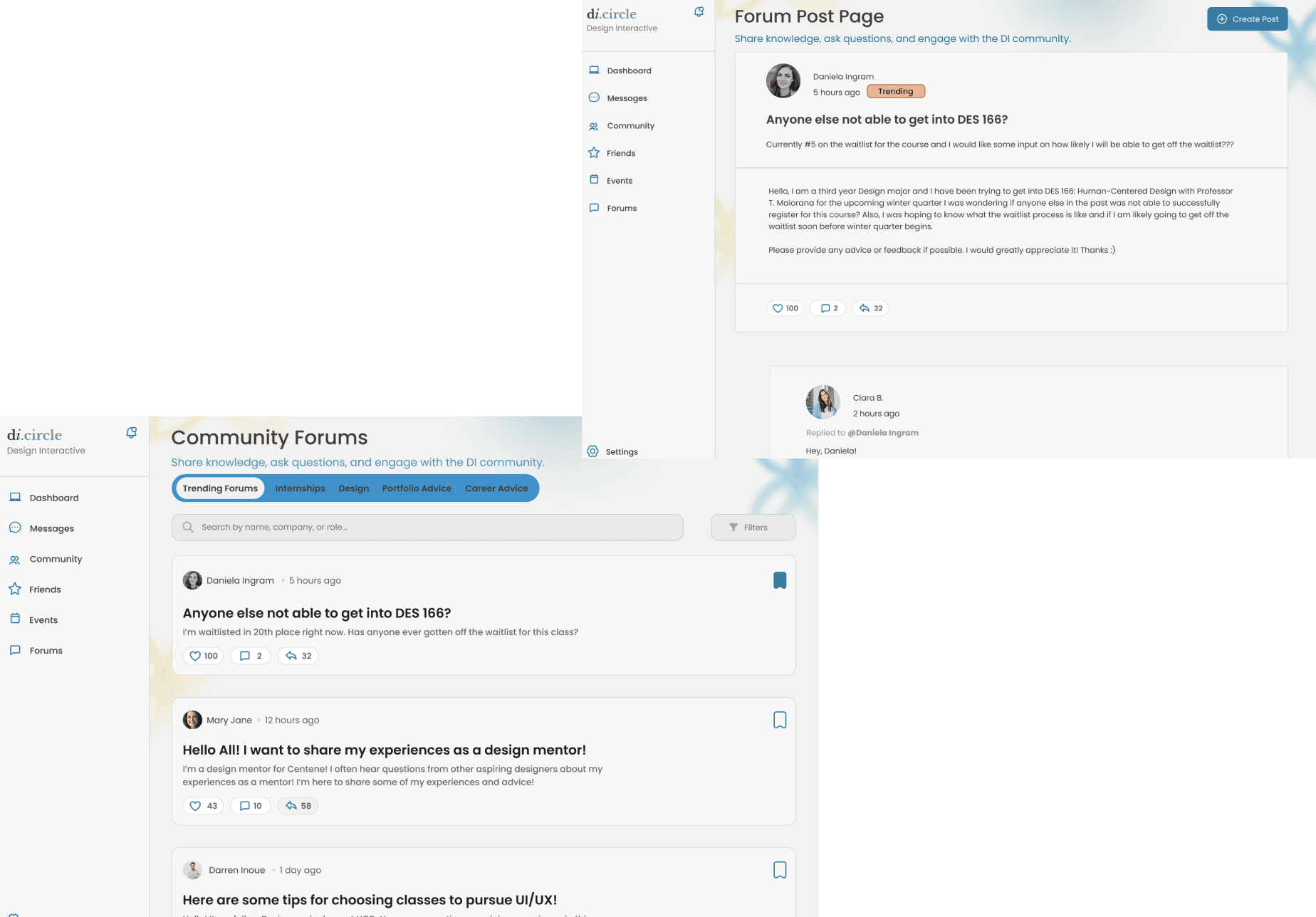
Community Forums
The community forums serves as the outlet for users to discuss about relevant topics. This can be career related, or users can ask for advice from others
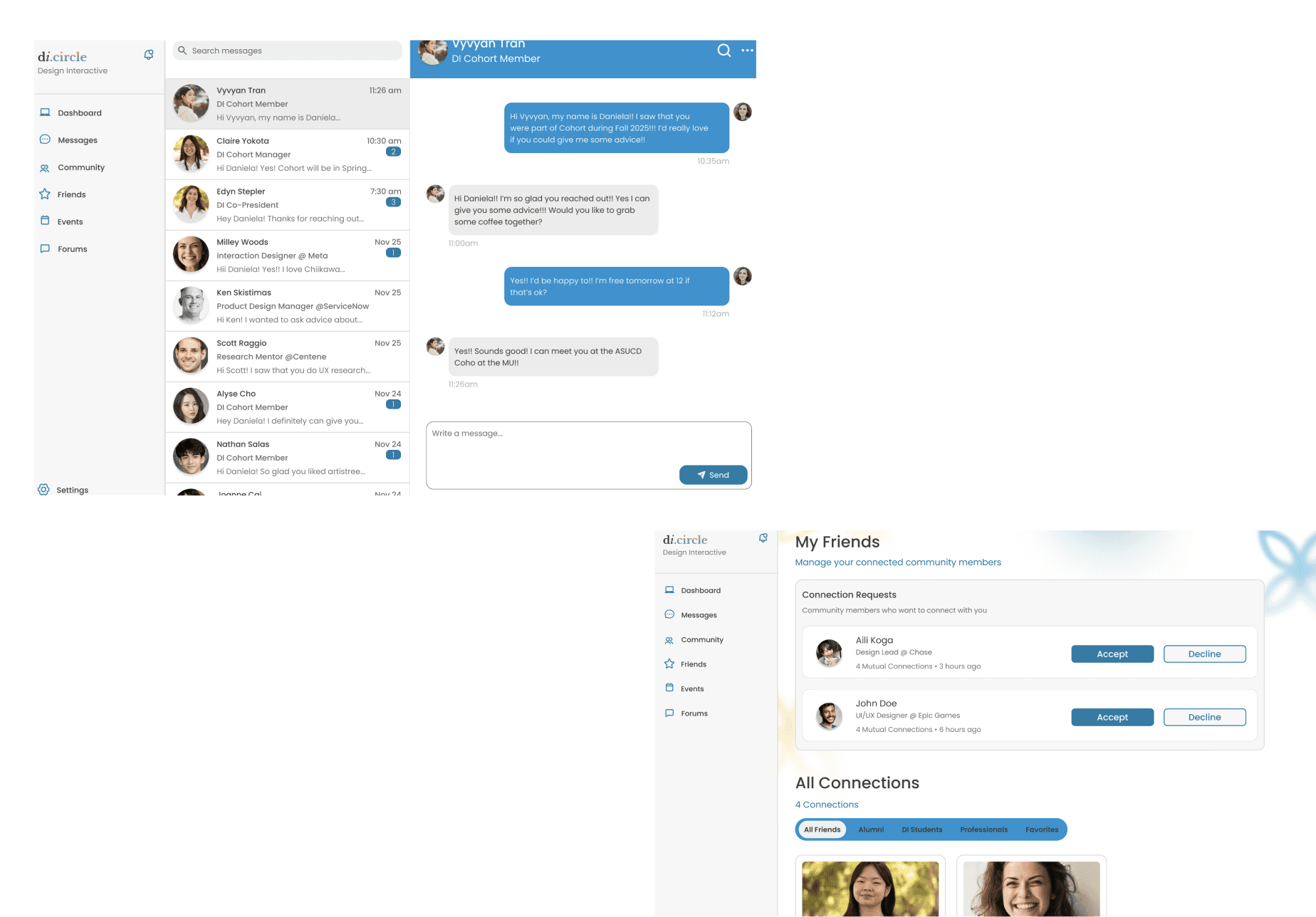
Friends + Messaging
Users can connect and communicate with ease through in-platform messaging. They can also manage their connections, allowing opportunities to maintain relationships over time.
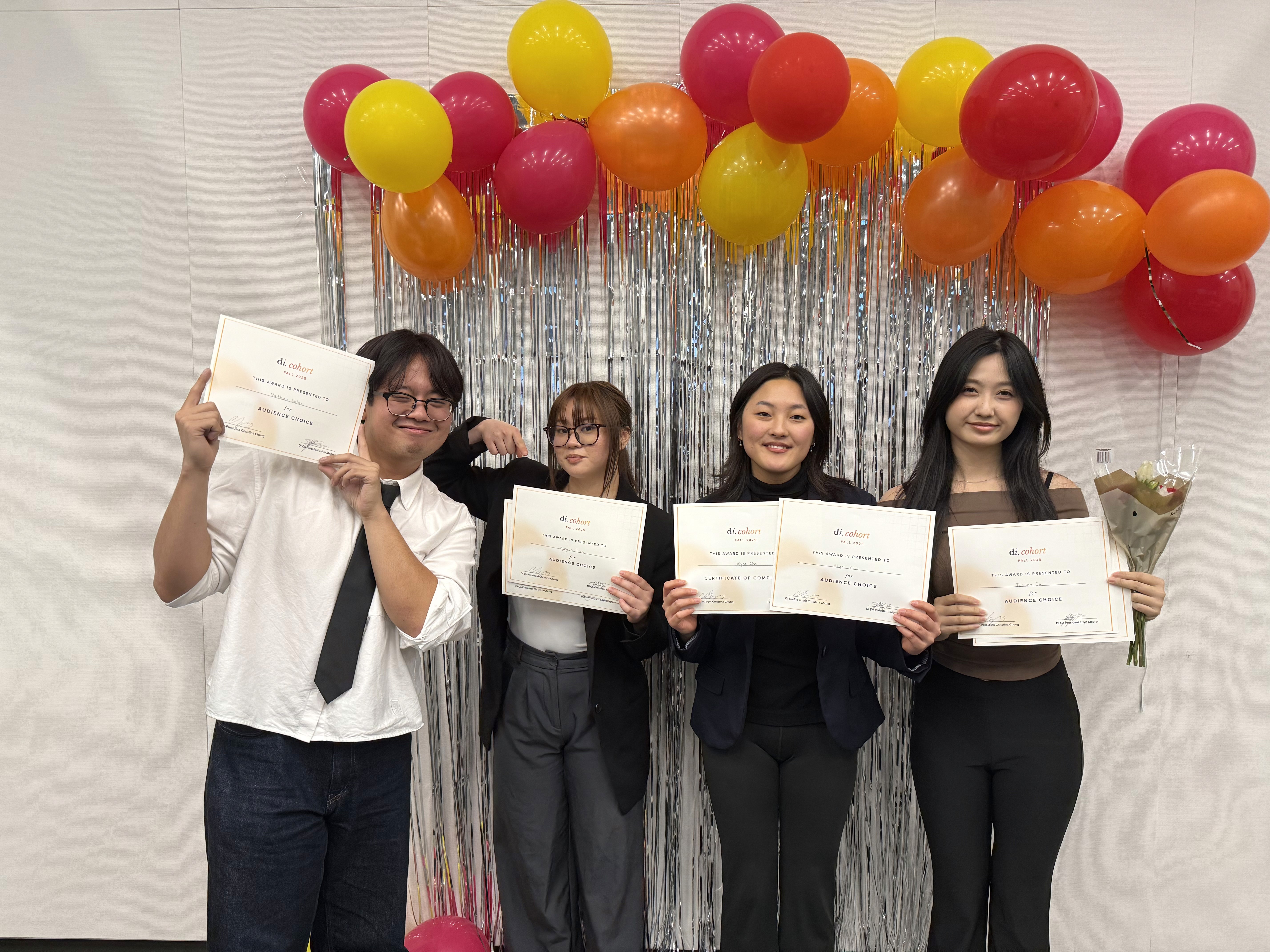
Presentation Night With Fellowship Teams
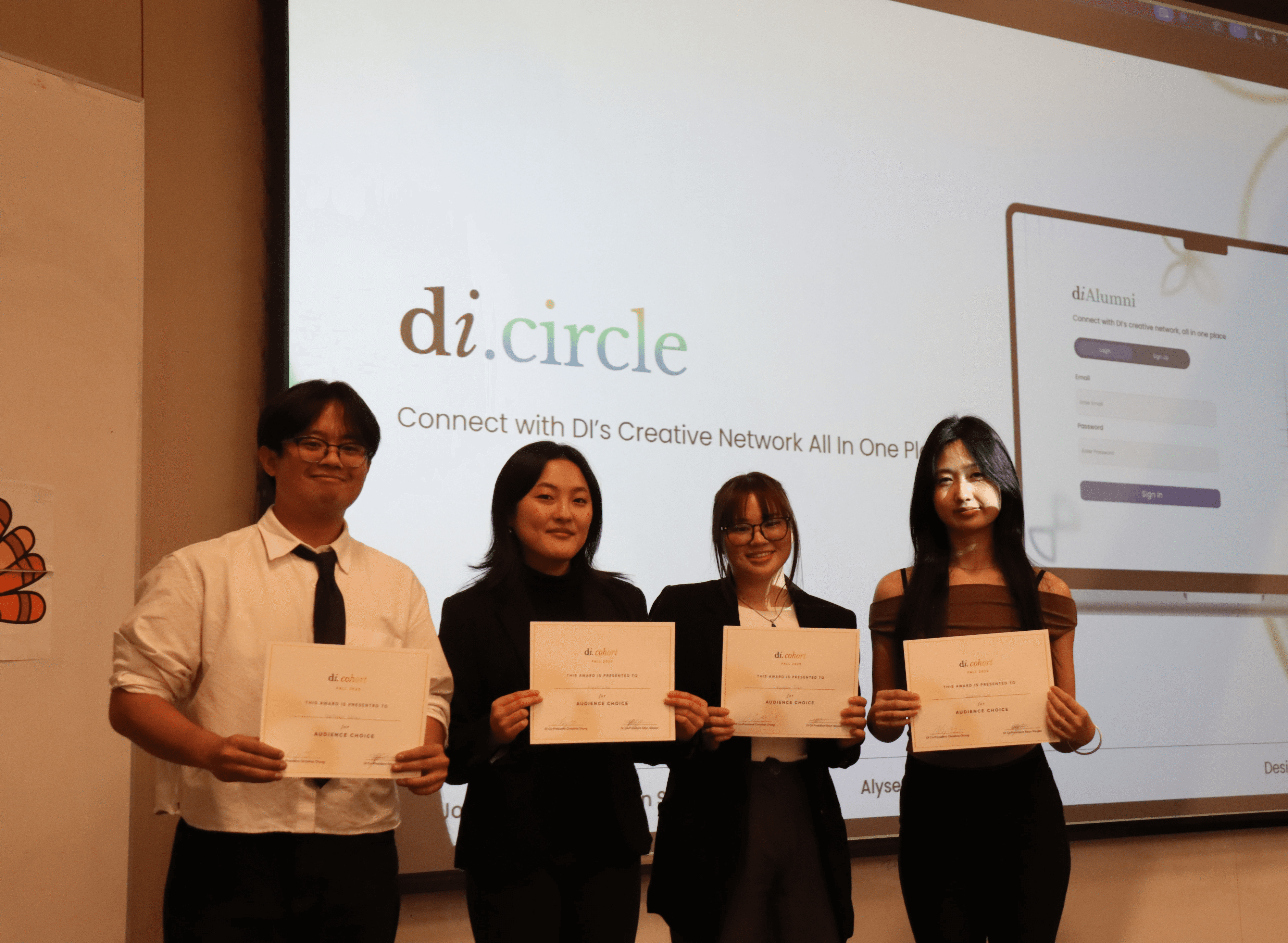
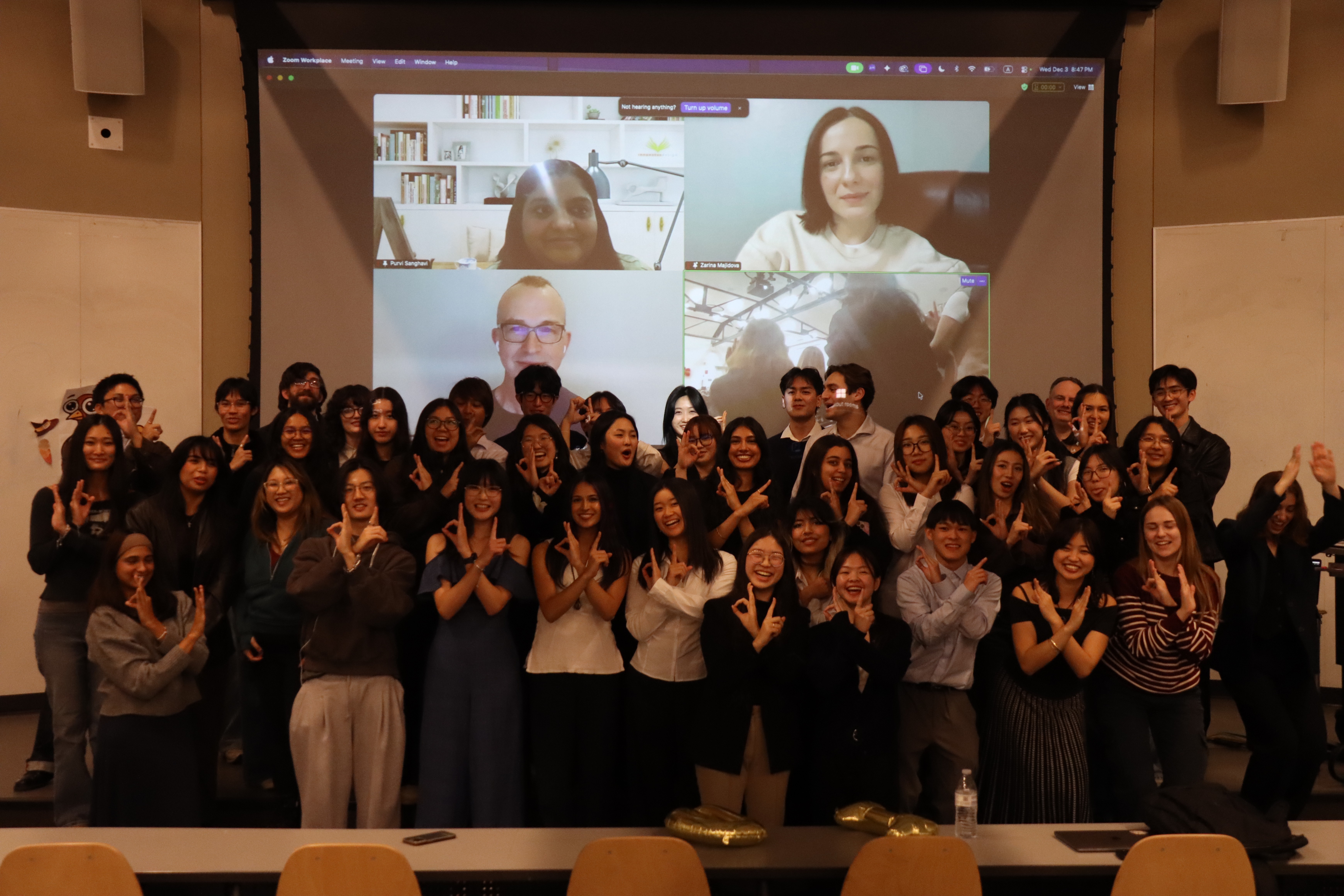
We presented our prototype with other teams! And we won “Most Human-Centered Design!”
Final Reflections
How I Learned That It’s Necessary to Take Steps Backwards
I was taught the design process is never linear. What felt like going backwards was where the most progress happened. It pushed my team and I to not only think about functionality, but to ensure core issues are addressed.
I grew in navigating ambiguity and adapting to change by helping lead our shift toward a more community-driven experience and carrying that direction through the Hi-Fi stage.
Good design ultimately solves problems. Sometimes, moving backward is what allows you to move forward